
The interesting answer to “what do I have to install on the vintage Mac?” is: nothing. In ClaudeBridge 2.0 the old machine is a pure client. No server runs there, no daemon, no helper — the entire codebase lives on the host. The Mac sends HTTP requests and renders HTML, and that is the whole of its job.
Deutsche Fassung: Was der 68k-Mac für ClaudeBridge braucht
Server, install instructions and source: github.com/LoetLuemmel/ClaudeBridge
What follows are therefore two settings, not two installations. Both already exist on any System 7.6.1 machine.
Step 1 — TCP/IP on DHCP
Open Control Panels → TCP/IP and set:
| Field | Value |
|---|---|
| Connect via | Ethernet |
| Configure | Using DHCP Server |
Everything else stays empty. Slirp brings its own DHCP server and hands out the addresses itself.
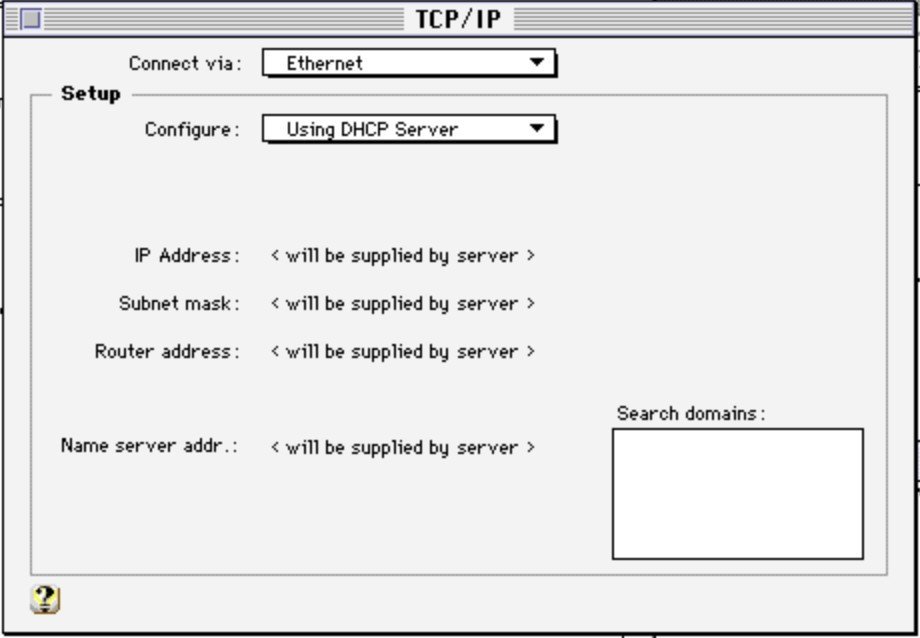
Close the window and save. The guest then receives:
| Role | Address |
|---|---|
| Guest | 10.0.2.15 |
| Gateway / host | 10.0.2.2 |
| DNS | 10.0.2.3 |
10.0.2.2 is the address that matters — it is how the emulated Mac sees the machine it runs on.
This is the half people forget. Switching the emulator to slirp on the host changes nothing inside the guest. If the control panel still holds a static LAN address from bridge mode, the guest boots into a network that no longer exists, and the failure looks like a broken emulator rather than a stale setting.
Step 2 — Netscape with the Western character set
Netscape Navigator 3.04 is the client. Nothing needs adding to it — no plug-in, no helper application.
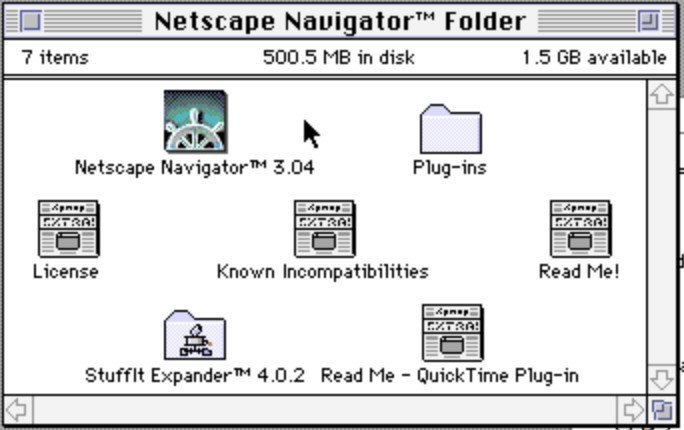
One setting does matter: the character set must be Western (ISO-8859-1). ClaudeBridge serves every page in that encoding, and a browser submits forms in the encoding of the document it received. Set anything else and umlauts break in both directions — the encoding bug that cost an afternoon came from exactly this layer.
Step 3 — Check it works
In Netscape, go to:
http://10.0.2.2:8080/
The ClaudeBridge home page with its seven entries should appear. If it does, the guest side is finished — there is nothing else to configure.
For a second opinion, http://10.0.2.2:8080/setup shows the host’s configuration and the emulator’s current network mode. That page is served to loopback clients only, and in slirp mode the guest qualifies, which is itself a useful confirmation that the routing works as intended.
What is explicitly not needed
This is worth stating, because the surrounding project has plenty of Classic Mac machinery that plays no part here:
| Not required | Belongs to |
|---|---|
| AppleBridge daemon | the AppleBridge project |
| MPW, ToolServer | 68k development work |
| THINK C 7.0 | only for building the optional native client |
| MacTCP configuration | Open Transport handles it in 7.6.1 |
The native THINK C client (ClassicClient/) is an alternative to the browser, not a requirement. It is faster and can reach the clipboard, but it ships as source: building it needs THINK C installed on the Mac. At run time it needs nothing extra either.
Why it is this sparse
The design decision behind ClaudeBridge is that the server adapts, not the client. HTML 3.2, ISO-8859-1, META REFRESH instead of AJAX, GIFs instead of modern image formats — every one of those constraints is absorbed on the host side.
The pay-off is exactly this page being short. A machine from 1996 has nothing left to learn, and nothing new to install, in order to talk to a language model. It just has to be told where the gateway is.